2023 November Release
Modified on: 2026-04-27 10:48
Dear Customers,
We would like to introduce the new feature available in Go Console V2 which was launched last month.
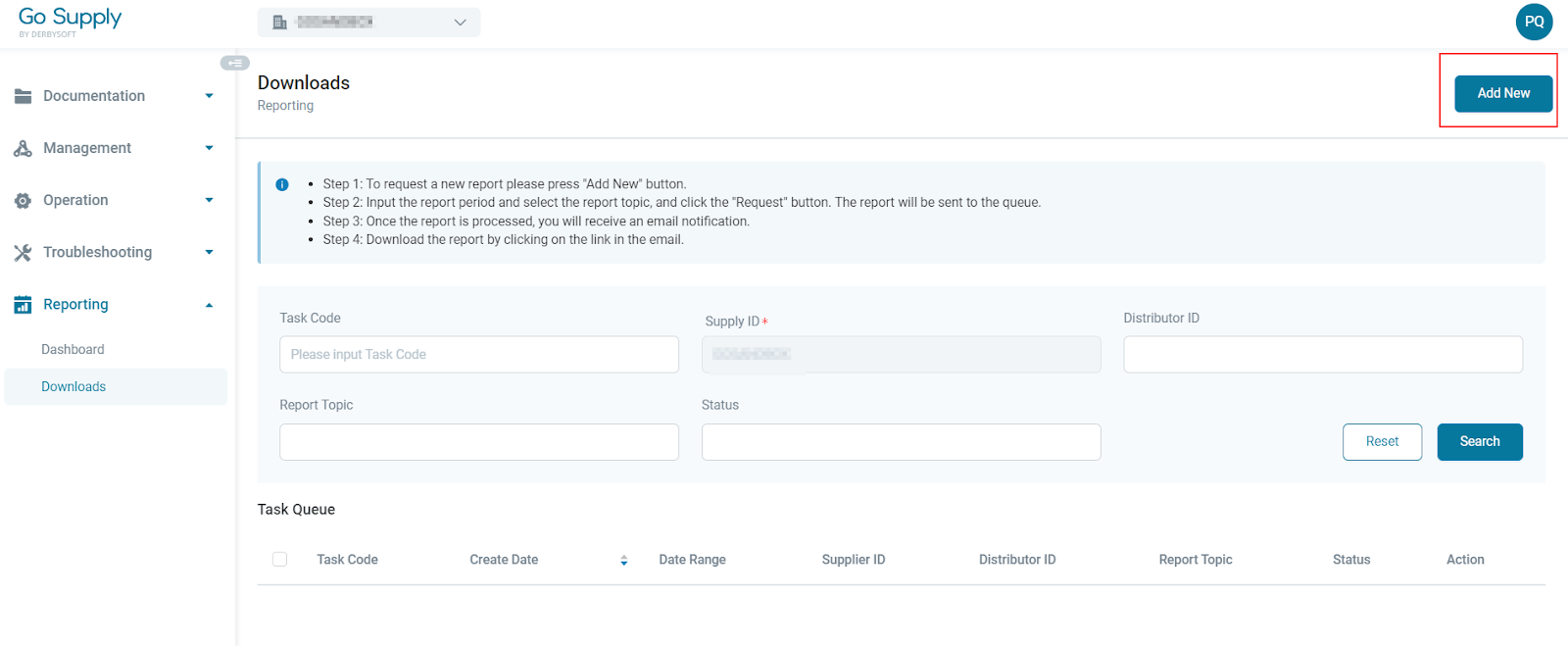
The function is located in the “Reporting” tab under “Downloads” and it allows you to generate the reports for transactions, reservations by specifying supplier ID and date range.
Step 1 To create a new report, click Add New button.
Step 2 Input the distributor ID and date range. Specify the report topic (transactions, reservations, all, if “all” is selected, the report will be generated for all the topics).
Date range is by default set for the last 7 days, and can extend to 30 days maximum. The date is refreshed daily at 8am UTC time for the day before. For example, if you run the data on Oct.24 at 7am UTC time the data is refreshed until Oct.22, and if you run the data at 8am UTC time the data is refreshed until Oct.23.
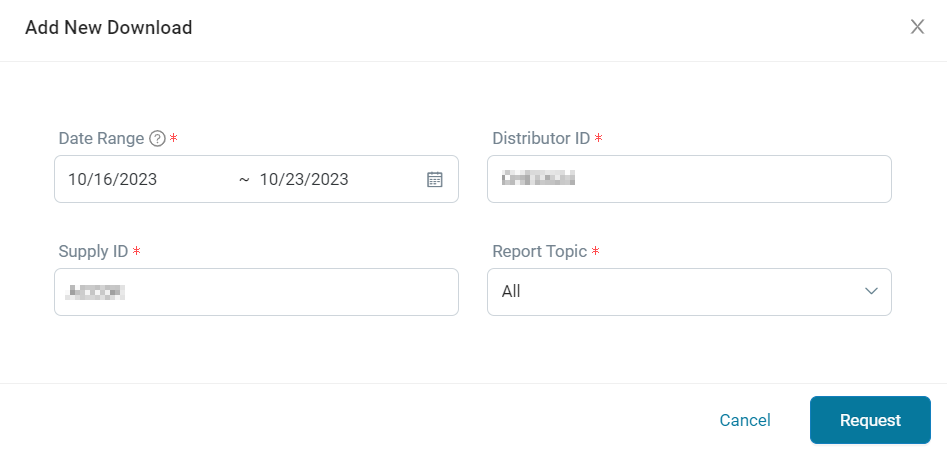
Step 3 Click the Request button, and the report is in process and an email will be sent to the user once the report is ready for download.

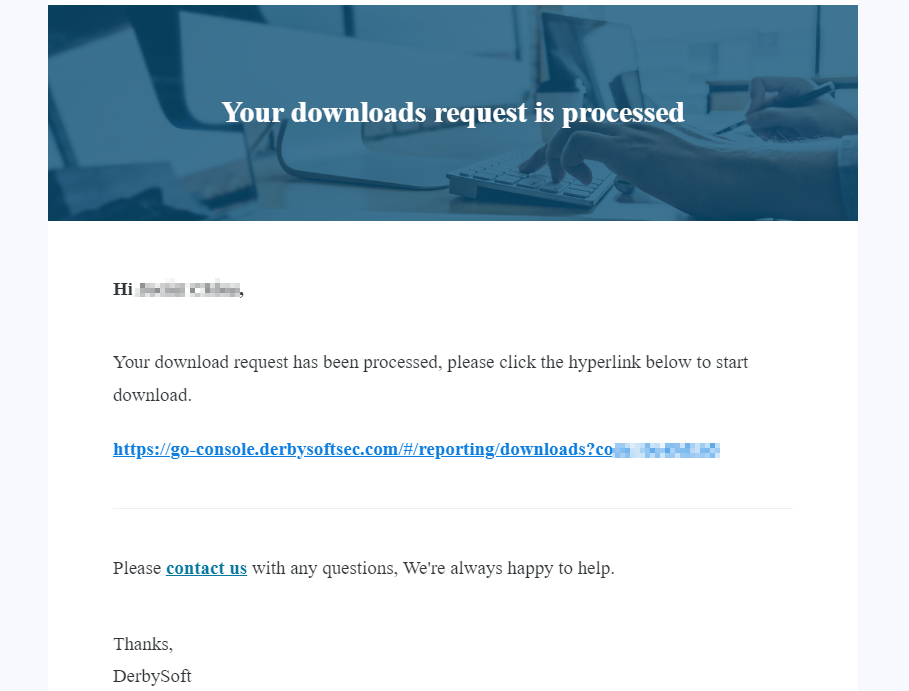
Step 4 You will receive an email with a link to the requested report. The reports can be downloaded within 7 days from the date of generation, and will be achieved after that.
Start exploring the new functionality by logging into the Go Console. Thank you.
Tips of the Month (TBD)
Yours Sincerely,
DerbySoft Team
Did you find it helpful? Yes No
Send feedback